Whirling dropdown menu | Script Tutorials
Showing posts with label Android. Show all posts

Wednesday, 23 December 2015

Freecharge - Get 50 Cashback on Recharge 10 + Refer & Earn upto Rs. 5000


Procedure : 


*Note : For New Users Only.


1. Download latest version from Here .

2. Once you download, open it and register new account.

3. Now proceed to recharge with Rs.10 and in promo code, enter this code to get Rs.50 cashback  :  R E 3 O 1 4 G 

4. Once you apply above code, you can see success message "Promo code applied successfully".

5. Now proceed further & make the payment via Debit or Credit card.

6. After successful recharge, you will get Rs.50 cashback in your Freecharge account instantly which can be used for recharge.


Refer & Earn


Share Your Referral code with your Friends and Earn upto Rs. 5000

Per Referral you will get  Rs. 50 

 Thank you For Reading my Post :) 


Saturday, 19 December 2015

Monday, 9 November 2015

Get Free Airtel 2G/3G Data Upto 1 GB


Procedure : 

1. Dial  1 2 9  from Airtel number.

2. You will listen a song then you will be asked to choose language.

3. Do not choose any language, directly press  0 3 6 1  from your keypad.

4. Done! Within few seconds you will get success message from Airtel 129 Store.


*NOTE : This Hack is working in some states .


Thank You For Reading my Post 


Thursday, 5 November 2015

*[LOOT]* Freecharge Refer & Earn Free Wallent Money


Procedure : 


1. Download latest Freecharge Apk file from Here

Latest version is not uploaded yet on Google Playstore 

2. Register new account [ Skip if you are already a Freecharge user ].


3. Now if you are a New Freecharge user, then you can grab Rs.50 cashback on recharge of Rs.50.

4. Just proceed to recharge of Rs.50 & enter this code in promo code section to get Rs.50 cashback [ Use Debit/Credit card for payment ] : R 1 9 6 O B D .

4. To avail Spin & Win and Refer & earn offer, goto Menu tab and select Rewards option.


 Earn Rs.25 per referral and you can earn upto Rs.1000.


You Will Get Chance To Spin & Win After Every Successful Recharge. You can win upto Rs.1,00,000 .


Your friend must be New User of Freecharge and he has to enter your referral code at the time of recharge.

Your friend will get Rs.50 cashback on minimum transaction of Rs.50.


Thank You For Reading My Post

How To Earn Free PAYPAL Money by Yroo


Procedure : 


1. Firstly, register Yroo account from Here .

2. Now signup using Facebook or Gmail .

Note : Do not sign up with email else you will not get referral.

3. Once you register, you can see 2 Treasure box , one for sign up bonus and another for daily login bonus.

4. Click on both Treasure boxes one by one for free bonus points.


*You can earn upto 10,000 points, depends upon your luck.

5. After collecting, sign up and daily bonus points, its time to earn more by referring your friends.

6. To refer your friends, goto Friends -- Invite friends from top menu and note down your referral link.

7. Finally share your referral link with friends and start earning real money.

8. When your friend will join using your referral link, you will be rewarded with more treasures. 

9. To collect your rewards, goto Rewards -- Treasures & open it. You will get upto upto 500 points per referral.

10 Once you reach 10,000 points, you can redeem your for Paypal cash i.e real cash in your Bank account.


Thank You For Reading My Post

Friday, 30 October 2015

*[LOOT]* SNAPDEAL REFER & EARN FREECHARGE CREDITS


 Procedure :

1. Download Snapdeal App from Here .

2. After downlaod, Enter this code to get Rs.100 Freecharge credit : kb1a543909 .


3. After entering above referral code, instantly you will get Rs.100 Freecharge cash in your Account.

4. Now its time to refer and earn more. To refer your friends, click on share button just beside Cart.

* You will receive Rs.100 in your Freecharge Wallet when they make their first purchase on Snapdeal App.

* Your friend will instantly get Rs.100, once they download Snapdeal app using your referral link.

* You can use that money to buy your favorite stuff on Snapdeal.

* Maximum you will get referral reward for 3 friends, but you can refer unlimited.

For more queries regarding this Refer & earn program, do not forget to comment below.


Thank You For Reading my Post

Sunday, 18 October 2015

FLIPKART - Get Rs50 Flipkart EGV for Inviting 3 friend

How to Earn Rs 50 Flipkart EGV by Refer


PROCEDURE :
  • Firstly Download FlipkartPing app HERE.
  • Open This app and Login/Sign up.
  • You will Get a Notification that:-“USE YOUR FRIEND’S INVITE 
  • CODE TO GET A RS.25 GIFT VOUCHER ON YOUR FIRST PURCHASE“.
  • Click on this notification and now you will be Redirect to Ping Refer & Earn program.
  • Now click on “Apply Code” and then put “ 7 q 5 z x u ” then click on “Redeem” Button.
  • Purchase anyone product within 30 Days by Flipkart to Get  Gift voucher.
OR
  • Download Flipkart Ebook From HERE .

  • Click on menu upper in Left side and Click on “My Library” & Login with your same Flipkart account.

  • Click on Menu and then click on “EBook store” & now click on “Categories” option and click on “Computer and Internet” and Filter your Results by Clicking of Filter Icon and Set PRICE-LOW TO HIGH “ & “PRICE – Rs 1  To Rs 100” and now Purchase Rs 1 Ebook.

  • Voila!! You will Get your Gift voucher in 24 hours & then You will get a notification that you will get your Flipkart Gift voucher.

*Note: To see your voucher then go to “MY EARNINGS” Button


Thank You For Reading My Post


Friday, 16 October 2015

*[Loot]* Refer & Earn Free Gadgets , Rewards From 2vin App


Refer & Earn Free Gadgets , Rewards From 2vin App


PROCEDURE :

1. Download 2vin app from Here or Direct link.

2. After download, Login with your facebook Account.

3. After Successfully Login you can see you have 50 Free points.


4.  Then Goto Menu and Click 'Got a Referral Code?'.


5. Enter This Code :  1 8 6 4 1 

6. Earn More points by Inviting your Friends, Goto Menu and Click Earn Points.

7. Note down your referral link or code and Start Sharing with your Friends.

*NOTE : Per Referral You will Get 50 points.


 R E W A R D S 

◘ 500 Points for  Rs. 100 Recharge ◘ 

◘ 1500 Points for 2600 mAh Samsung Power Bank ◘

◘ 2000 Points for 16GB Sony Flash Drive ◘

 ◘ 3500 Points for Casual Shoes  ◘

◘ 25000 Points for  Redmi 2 Mobile ◘


◘ 50000 Points for Moto G 3rd Gen. Mobile ◘


◘ 100000 Points for iPhone 5s ◘


Thank you for Reading my Post


Friday, 2 October 2015

Use Your Android Device As a Webcam


How to Use your Android Device as a Webcam


Requirements :
  • Android Device of course
  • PC with WIFI Connectivity
Downloads :

Installation :

  • Install application in your android device.
  • Your Android device & PC should be connected to your wifi.
  • Start the application & Select the the quality of your cam.

  • Install IP Camera Adapter & Run it.
  • In Camera Feed Url enter your IP Address then Click Auto Detect and Apply.

  • Go back and Start the server.
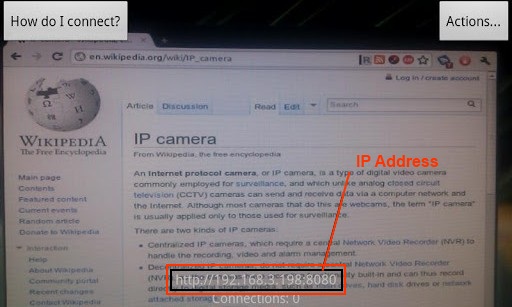
  •  Note down the IP address which is showing at the bottom of your screen.


  •  Paste the IP Address in your browser's address bar & Hit Enter.

  • Select the configuration as you like.


Enjoy...

You can use it for Facebook Video calling, Skype ,Omegle etc.


Thursday, 24 September 2015

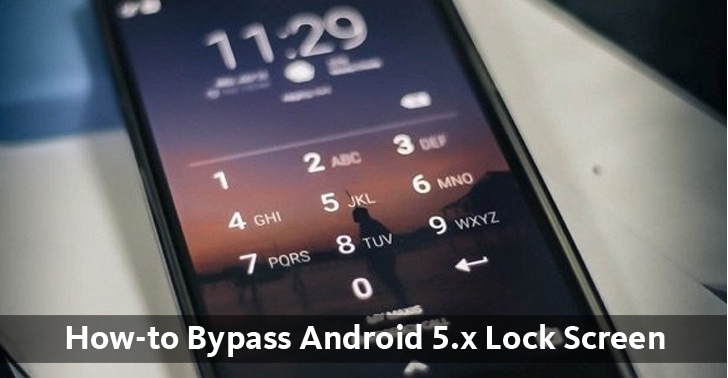
Hacker Finds a Simple Way to Bypass Android 5.x Lock Screen


A Security researcher and hacker, named John Gordon, has found an easy way to bypass the security of locked smartphones running Android 5.0 and 5.1 (Build LMY48M).

Many of us use various security locks on our devices like Pattern lock, PIN lock and Password lock in order to protect the privacy of our devices.

However, a vulnerability could now allow anyone to take your Android smartphone (5.0 build LMY48I) with locked screen, perform a "MAGIC TRICK" and as a result crash the user interface (UI) for the password screen and gain access to your device.

The vulnerability, assigned CVE-2015-3860, has been dubbed as "Elevation of Privilege Vulnerability in Lockscreen".

How the Attack Works?


The secret behind the researcher's "MAGIC TRICK" is as follows:
  • Get the device and open the Emergency dialer screen.
  • Type a long string of numbers or special characters in the input field and copy-n-paste a long string continuously till its limit exhausts.
  • Now, copy that large string.
  • Open up the camera app accessible without a lock.
  • Drag the notification bar and push the settings icon, which will show a prompt for the password.
  • Now, paste the earlier copied string continuously to the input field of the password, to create an even larger string.
  • Come back to camera and divert yourself towards clicking pictures or increasing/decreasing the volume button with simultaneously tapping the password input field containing the large string in multiple places.
All this is done to make the camera app crash. Further, you will notice the soft buttons (home and back button) at the bottom of the screen will disappear, which is an indication that will enable the app to crash.

At this time, stop your actions and wait for the camera app to become unresponsive.

After a moment, the app will crash and get you to the Home Screen of the device with all the encrypted and unencrypted data.

Now without wasting time go to Settings > Developer options > Enable USB debugging and control the device by installing the Android Debug Bridge (ADB) utility.

Video Demonstration shows Attack in Work


Watch the video demonstration given below, where you can see practically how Gordon executed the hack.

In addition to this, if we notice the number of users with Android 5.0 and 5.1 with hardware compatibility as Nexus 4 and software installed as Google factory image - occam 5.1.1 (LMY47V) are less. Therefore, the risk associated will affect those users only.

Furthermore, for those users we have a good news that is- the patch has released for the vulnerability and is made public by Google.

How To Bypass OTP Verification In Ladoo App

Hello Reader, this tutorial show you How to Bypass OTP verification in ladoo app in Bluestacks/Youwave


  • Steps:-
  • Download Rooted Blue Stacks From HERE
  • Fake Text Message App From HERE
  • Install This 2 Apps In your bluestacks
  • Open Textra and make that app as an default app
  • In this Tutorial we will be going to verify Ladoo
  • so install ladoo app from HERE
  • Then I will Enter Mobile Number in Ladoo app & I will Get OTP Code in mobile Phone
  • Now See from Which of the Name they sent OTP Message, Ladoo send Verify SMS from “ MM- Ladooo “
  • Goto Bluestack Contacts & Create new contact, Enter Name from which you get Verification Code, like “ MM-Ladooo ” & Enter any Number
  • Open the fake image app and create new message from newly contact which u have created
  • Enter Full Message Which you Got via SMS like in Ladoo you’ll Get “ladooo verification OTP 568742“
  • Set Time & Date Right After one minute & Click on “ Fake “
  • Now Open app, in which you want to verify OTP Code , & Wait for one min
  • you will get OTP Code from Fake message app & Recharge apps will auto verify OTP Now & you are done!!!